How to Find Out What Is Being Built Near You in Seattle
Four practical ways to find out what is going up at an address in Seattle, starting with the notice on the fence and working through the city permit records and the comment period. The fourth is a map lookup on BuildVue.
This guide covers the ways to find out what is being built at an address in Seattle. Every record involved is public, and each lookup works from either a street address or a permit record number.
Start with the sign if the site has one, because the sign shows a number. Then take that number, or just the street address, into the city's records.
The sign posted on the site
The city has to tell neighbors about most land use applications before it decides them. The Seattle Department of Construction and Inspections, known as SDCI, describes the notice this way. "Based on the application type, we post the public notice in SDCI's Land Use Information Bulletin, mail it to property owners, and post it at the site." The rules behind that are in the Land Use Code at SMC 23.76.012.
The sign comes in two sizes. Smaller applications get a modest land use sign at each street frontage of the site. Projects that go through environmental review or design review get a large sign, placed so it can be read from the street or the sidewalk, and it stays up until the city has finished acting on the application.
The most useful thing on the sign is the record number. Seattle record numbers end in a letter code that tells you what kind of application it is. A number ending in LU is a land use application, which is the zoning side of a project, covering questions like height, use, and how many units go on the lot. A number ending in CN is a construction permit, which is the approval to build. One address often has several numbers running at the same time for demolition, shoring, the building itself, and the mechanical work.
Write the number down along with the description of the work. If the notice lists a comment deadline, note that too. SDCI publishes the comment period both in its bulletin and on the notice posted at the project site.
Look the address up in the city's records
Four city tools cover a single address. They overlap, so pick by what you want to see.
Shaping Seattle shows permit activity on a map. Shaping Seattle, Property and Building Activity lets you enter an address or a project number, or browse the map, and SDCI describes it as the place to find active construction and land use permits along with projects that require design review approval. Clicking a site shows the project description, the permit stage, and links to documents.
The Seattle Services Portal contains the complete file for each permit. Open the portal, click Search All Records, and enter an address or a record number. It covers permit activity from 2005 to the present, with the applicant, the project description, the current status, and the filed documents.
The permit and site history tool searches by address and returns a site's permit history. Enter an address here and you get the site's zoning, a link to King County Assessor data, and results you can filter by date, record type, and keyword.
The records library covers older documents. The permit and property records library has scanned land use plans from roughly 2007 forward, permits and inspections from roughly 2005 forward, and microfilm records going back further. Use it when you want to know what stood on the lot decades ago.
The bulletin and the comment period
Public notices for land use decisions all appear in one running list. The Land Use Information Bulletin is where those notices are published, which makes it a good place to check for a whole neighborhood rather than one address.
The standard comment period is 14 days. It can be extended by another 14 days if someone asks in writing before the first period ends. Shoreline projects get 30 days and cannot be extended. Early Design Guidance and Streamlined Design Review get 14 days and cannot be extended either. Comments go in through the city's public comment form. Comments become part of the project record, and a master use permit decision can be appealed once it is issued.
NEWSLETTER
Get a monthly newsletter with new features plus Seattle Metro construction activity. No spam.
Design review meetings
Larger buildings can go through full design review, which includes public Design Review Board meetings. The board and the public look at the shape of the building, the materials, and how it meets the sidewalk. Board meetings are held online, they run twice a month in the evenings, and the schedule is on the design review calendar. You register for a meeting in order to attend, you can speak during the public comment portion, and written comment goes to PRC@seattle.gov. The Shaping Seattle map also has a design review filter that shows only the projects in the program.
On October 26, 2025 the city adopted temporary rules to line up with new state law, House Bill 1293, and those rules pause the design review requirement and make it voluntary for new development proposals. Fewer new projects will appear on the calendar than in past years.
Check the address on the map
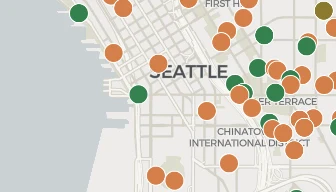
City records are organized by permit, and a single project usually has several of them. BuildVue's Seattle map groups the permits at one address into one project page, with the current stage, the filing dates, and what was on the site before. You can also pan around the map to see everything filed near you instead of checking one address at a time. If you want the wider view of what got filed and permitted across the city recently, the January 2026 recap walks through the month.
WHY BUILDVUE
See the projects behind this article
BuildVue tracks development permits across two dozen cities around Puget Sound. Every project in this article is on the live map with its full permit history.
What the paid plans include
▪Full project details. Contacts, sales history, what is inside the building, and the full permit record.
▪Alerts. Daily email alerts for saved projects and saved searches.
▪Portfolios. Every past and current project from each developer and architect.
▪Trends. Market statistics and neighborhood totals.
▪Exports. Any filtered list as a spreadsheet.
Plans start at $29 a month. Every account begins with a free 14 day trial of Pro. No card needed.
What does the sign posted in front of a construction site in Seattle mean?
It is a public notice for a land use application. SDCI posts notice at the site, mails it to property owners, and publishes it in the Land Use Information Bulletin, depending on the type of application. The sign shows a record number, a description of the proposal, and often the deadline for public comment.
How do I find out what is being built at a specific address?
Search the address in the permit and site history tool or on Shaping Seattle. Both accept a plain street address. For the full file, including the applicant and the submitted documents, search the address in the Seattle Services Portal.
What is the difference between an LU number and a CN number?
A record number ending in LU is a land use application, which handles the zoning approvals for a project. A number ending in CN is a construction permit, which authorizes the building work. A project that needs both will usually get the land use decision first.
Can I comment on a project near me?
Yes, during the comment period. The standard window is 14 days from the notice, with a possible 14 day extension on written request. Shoreline projects get 30 days. Comments go through the city's public comment form and become part of the project record.
How do I see everything proposed in my neighborhood instead of one address?
Browse the map on Shaping Seattle, check the Land Use Information Bulletin for recent notices, or open the Seattle map on BuildVue and look at the projects around you with their stage and filing dates already attached.