Bellevue shares its permit portal with a dozen other jurisdictions, so this covers how MyBuildingPermit searches work and what each status means. BuildVue already covers every city on that portal and several that are not on it.
Bellevue does not run its own permit lookup website. The city shares a portal called MyBuildingPermit with several other jurisdictions in the Puget Sound area, including Auburn, Bothell, Burien, Edmonds, Federal Way, Issaquah, Kenmore, Kirkland, Mercer Island, Sammamish, Snoqualmie, and King County. Every permit application in Bellevue goes through this shared system. The city says all permit applications must now be submitted online at MyBuildingPermit.com and that paper applications and plans are no longer accepted, so the portal is the only route for both filing a permit and checking on one.
What you need before you search
Before you search, decide what you already know about the project. MyBuildingPermit lets you search four different ways, and each one needs different information.
A permit number, if you already have one from a notice, a posted sign, or a previous search
A property address, if you know the site but not the permit number
A project name or description, if you are looking for a specific development by name
A contractor or applicant name, if you want to see everything one company has filed
A parcel number is not required to start a search. The portal finds the parcel once you search by address.
How to search
Go to mybuildingpermit.com and select "Check Status." This opens a separate search page at permitsearch.mybuildingpermit.com. That page asks you to pick a jurisdiction first. Jurisdiction is a required field, and you have to choose Bellevue from the dropdown before any search will run, because the same portal covers a number of cities and the results are filtered by jurisdiction.
Once Bellevue is selected, pick one of four search tabs.
"Permit #" searches by permit number and accepts a partial match, so the full string is not required
"Project Info" searches by project name or description, also a partial match
"Location" searches by street name or parcel information
"People" searches by contractor or applicant name
The search can be narrowed further by permit type, permit status, and date ranges for when the permit was applied for, issued, or finaled. The portal's status site guide documents an option to export results to a spreadsheet, which helps if you are tracking several properties at once.
What the statuses mean
A permit moves through a small number of stages inside the portal. Applied means the applicant has submitted the application and the city has not finished its review. Issued means the city approved the permit and construction is authorized to begin. Finaled means every required inspection has passed and the city has closed the permit out. A permit can also be in a withdrawn or expired state if it never made it through the process. Applied, issued, and finaled are also the three dates you can search by if you are trying to pull permits from a specific window of time.
NEWSLETTER
Get a monthly newsletter with new features plus Seattle Metro construction activity. No spam.
How the same permits show up on BuildVue
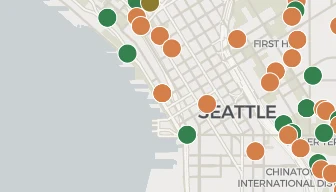
MyBuildingPermit tracks each permit as its own record, so a single development might show up as five or six separate entries once land use, mechanical, and electrical filings are added in. BuildVue takes that same data and groups every permit at one address into a single project card instead. Each card shows one of four stages, Design Review, Land Use, Construction, or Complete, based on the underlying permit statuses, and a timeline that lines up the application, issue, and final dates from every permit attached to the project.
More than 70 projects are live on Bellevue's BuildVue page right now, spread across the city's neighborhoods from BelRed to downtown, with unit counts and construction value added up for each area. Browse by neighborhood or open the interactive map to filter by stage, project type, or value.
WHY BUILDVUE
See the projects behind this article
BuildVue tracks development permits across two dozen cities around Puget Sound. Every project in this article is on the live map with its full permit history.
What the paid plans include
▪Full project details. Contacts, sales history, what is inside the building, and the full permit record.
▪Alerts. Daily email alerts for saved projects and saved searches.
▪Portfolios. Every past and current project from each developer and architect.
▪Trends. Market statistics and neighborhood totals.
▪Exports. Any filtered list as a spreadsheet.
Plans start at $29 a month. Every account begins with a free 14 day trial of Pro. No card needed.
Do I need to create an account to check a permit status in Bellevue?
Not based on what we saw. The search form at permitsearch.mybuildingpermit.com loaded without asking us to sign in. An account is only needed to apply for a new permit or upload documents to an existing one.
Can I search by parcel number alone?
Yes, through the Location tab, though an address usually returns faster results since parcel numbers are not always printed on permit notices or posted signs.
Why does a permit that should exist not turn up?
Check that Bellevue is selected as the jurisdiction. It is easy to run a search under the wrong city, since MyBuildingPermit covers a number of jurisdictions and the dropdown does not reset itself between searches.
What if a project has permits filed before MyBuildingPermit went fully online?
Older records may be incomplete in the portal. Bellevue's Permit Center can pull historical paper files on request at 425-452-4898 or permits@bellevuewa.gov.